force CLI v1.3.0
A command-line interface to force.com 
Installation
Homebrew
On macOS or Linux:
$ brew install octoberswimmer/tap/force
Precompiled Binaries
Can be downloaded from the Current Release Page or by visiting the CLI Home Page.
Compile from Source
$ go install github.com/ForceCLI/force@latest
Usage
See docs/force.md for all supported commands.
sf-Compatible Mode
When the binary is invoked under the name sf, or as force --sf, it accepts the command names and flags of the Salesforce sf CLI, uses the logins, aliases and config values of sf (~/.sfdx and ~/.sf), and prints output in the format of sf, including the --json envelope.
make install-sf     # installs force and an sf symlink next to it
sf org login web --alias dev --set-default
sf data query -q "SELECT Id, Name FROM Account" --json
sf project deploy start --source-dir force-app
force --sf org list # the same mode without the symlink
Commands that the mode suggests in its messages are written the way the program was started: sf ... for sf on the PATH, /tmp/sf ... for that path, and force --sf ... with the flag.
158 sf commands are implemented. docs/sf-compatibility.md lists them with the force command each corresponds to, the flags that are not supported, and the sf commands that are not implemented. docs/sf/sf.md has the generated help for each command.
The file templates of the sf template generate commands come from salesforcedx-templates (BSD-3-Clause) and are compiled into the binary. make update-sf-templates SF_TEMPLATES_VERSION=<tag> rebuilds them from a tag of that repository.
The names of the metadata types, their folder and child types, and the standard value sets in sf/registry_data.go come from the metadata registry of source-deploy-retrieve (Apache-2.0). make update-sf-registry SF_REGISTRY_DIR=<checkout> regenerates the file from a checkout of that repository.
Tab completion simplifies use of the force CLI. Enable bash completion or see force completion --help for other options.
$ source <(force completion bash)
Usage:
  force [command]

Available Commands:
  active       Show or set the active force.com account
  apex         Execute anonymous Apex code
  apiversion   Display/Set current API version
  bigobject    Manage big objects
  bulk         Load csv file or query data using Bulk API
  bulk2        Load csv file or query data using Bulk API 2.0
  completion   Generate the autocompletion script for the specified shell
  create       Creates a new, empty Apex Class, Trigger, Visualforce page, or Component.
  datapipe     Manage DataPipes
  describe     Describe the object or list of available objects
  eventlogfile List and fetch event log file
  export       Export metadata to a local directory
  fetch        Export specified artifact(s) to a local directory
  field        Manage SObject fields
  help         Help about any command
  import       Import metadata from a local directory
  limits       Display current limits
  log          Fetch debug logs
  login        force login [-i=<instance>] [<-u=username> <-p=password>] [-scratch] [-s]
  logins       List force.com logins used
  logout       Log out from Force.com
  notify       Should notifications be used
  oauth        Manage ConnectedApp credentials
  open         Open a browser window, logged into an authenticated Salesforce org
  package      Manage installed packages
  password     See password status or reset password
  push         Deploy metadata from a local directory
  query        Execute a SOQL statement
  quickdeploy  Quick deploy validation id
  record       Create, modify, or view records
  rest         Execute a REST request
  security     Displays the OLS and FLS for a given SObject
  sobject      Manage standard & custom objects
  test         Run apex tests
  trace        Manage trace flags
  usedxauth    Authenticate with SFDX Scratch Org User
  version      Display current version
  whoami       Show information about the active account

Flags:
  -a, --account username   account username to use
  -h, --help               help for force

When a stored force session is not available, `--account` automatically falls back to matching SFDX usernames or aliases and reuses that authentication.

Use "force [command] --help" for more information about a command.
login
When you login using the CLI a record of the login is saved. Eventually your token will expire requiring re-authentication. The default login is for all production instances of salesforce.com. Two predefined non-production instances are available using the test and pre aliases. You can set an arbitrary instance to log in to by specifying the instance url in the form of subdomain.domain. For example login-blitz.soma.salesforce.com.
  force login                           # log in to last environment
  force login -i=login                  # log in to production or developer org
  force login -i=test                   # log in to sandbox org
  force login -i=pre                    # log in to prerelease org
  force login -u=un [-p=pw]             # log in using OAuth Username-Password flow
  force login -i=test -u=un -p=pw       # log in to sandbox org using OAuth Username-Password flow
  force login -i=<instance> -u=un -p=pw # internal only
  force login --dpop                    # log in and request DPoP-bound tokens
DPoP-bound sessions
--dpop requests tokens bound to a key pair with OAuth 2.0 Demonstrating Proof of Possession (DPoP, RFC 9449). It works with the browser, device, JWT bearer, and client credentials logins. Salesforce does not support DPoP for the username-password flow, and the SOAP login does not use OAuth.
force generates a P-256 key pair and sends a DPoP proof signed with it to the token endpoint. For the browser login, the authorize URL also includes dpop_jkt, the JWK thumbprint of the public key, so that Salesforce binds the authorization code to the key. Salesforce answers the first token request with a use_dpop_nonce error and a nonce in the DPoP-Nonce header, and force sends the request again with the nonce in the proof. If the external client app or connected app allows DPoP, Salesforce returns token_type DPoP, and force saves the private key and the nonce with the session, in the same file as the refresh token. If Salesforce returns a Bearer token instead, force does not save the key and the session works as before.
Each later request made with a DPoP session carries a new proof signed with the key and including the nonce:
- REST requests (REST, Tooling, Composite, Bulk API 2.0, Apex REST, Connect, SCIM, and the Streaming API used by
force log tail) sendAuthorization: DPoP <token>and the proof in theDPoPheader. - Bulk API 1.0 requests send
Authorization: DPoP <token>and the proof in theDPoPheader. Salesforce compares the proof'shtuwith the request URL using thehttpscheme, so force writeshttp://in place ofhttps://inhtufor these requests. - SOAP requests (Metadata, Partner, Apex) send the token in
SessionHeaderand the proof in aDpopProofHeaderelement of the SOAP envelope. - Pub/Sub API requests send the token in the
accesstokengRPC metadata header without a proof. Salesforce accepts the DPoP-bound token there without one. - Refresh token requests send the proof in the
DPoPheader.
The browser login exchanges the authorization code with the hybrid_auth_code grant, and DPoP sessions are refreshed with the hybrid_refresh grant. Along with the DPoP-bound token, these grants return ui_sid, an unbound session ID for the web UI, which force open uses with frontdoor.jsp, since a browser can't send DPoP proofs. The device, JWT bearer, and client credentials logins have no hybrid grant, so their sessions get a ui_sid at the first refresh.
Salesforce accepts a nonce for 24 hours. When it rejects a proof because the nonce expired (INVALID_AUTH_HEADER), force refreshes the session, which gets a new nonce from the token endpoint, and sends the request again.
Limitations of DPoP sessions:
force openreturns an error for a session that has noui_sidyet: a device, JWT bearer, or client credentials login that has not been refreshed.- The token printed by
force active --tokencan't be used by other tools without the key.
logout
Logout will delete your authentication token and remove the saved record of that login.
force logout -u=user@example.org
logins
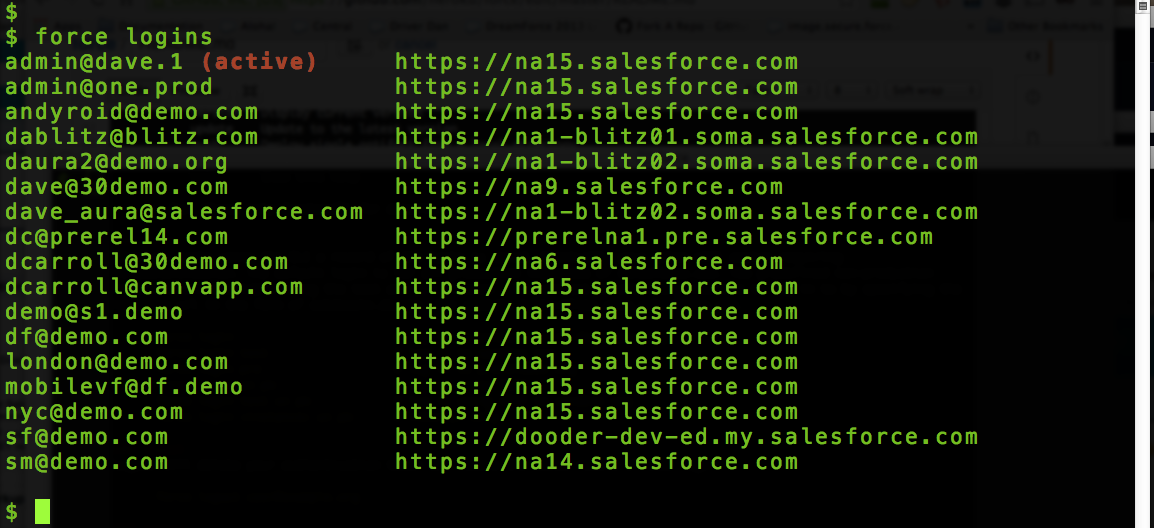
Logins will list all the user names that you have used to authenticate with the instance URL and org namespace associated with each one. The active login will be indicated behind the login name in red.
force logins
The namespace is the org's Organization.NamespacePrefix, recorded when you log in or when the session is refreshed. Use --namespace to list only the logins for orgs with a given namespace.
force logins --namespace myns
active
Active without any arguments will display the currently acctive login that you are using. You can also supply a username argument that will set the active login to the one corresponding to the username argument. Note, just because you set a login as active, does not mean that the token is necessarily valid.
  force active
  force active -a dave@demo.1
whoami
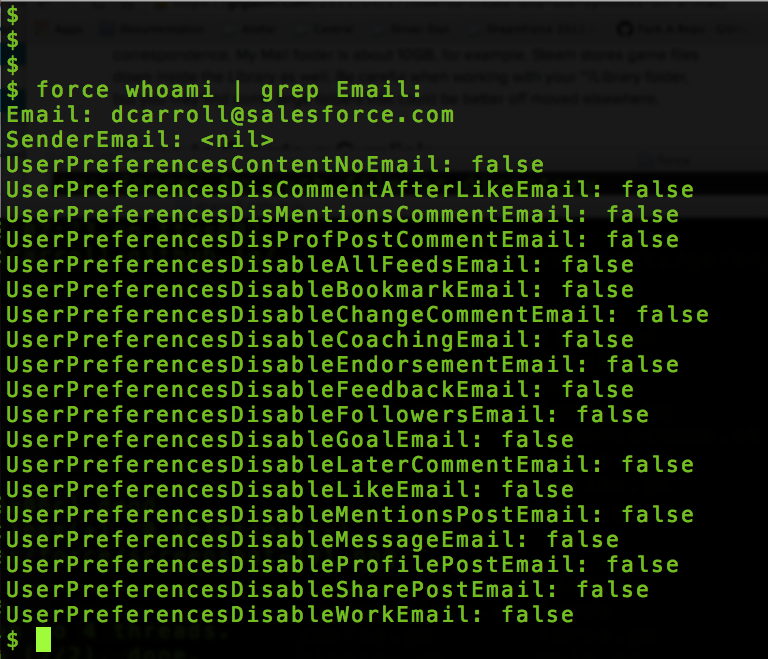
Whoami will display detailed user information about the currently active logged in user. This is Force.com specific information.
force whoami
sobject
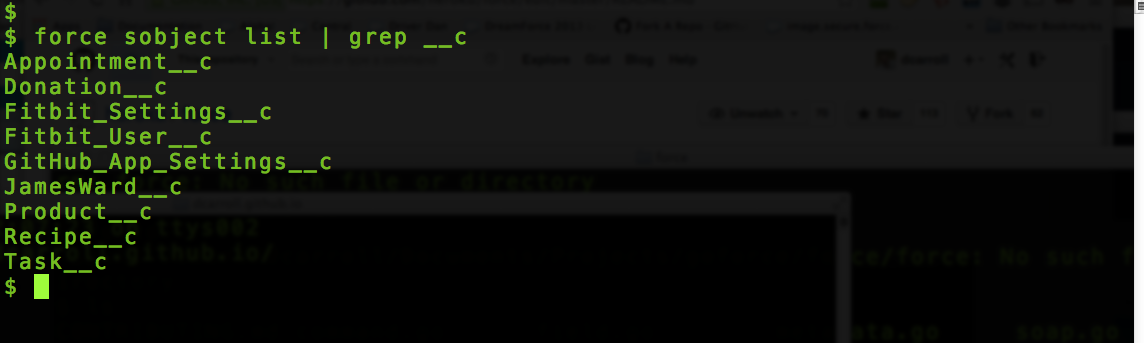
Sobject command gives you access to creating and deleting schema objects. The list argument will list ALL of the objects, both standard and custom, in your org.
  force sobject list
  force sobject create <object> [<field>:<type>]...
  force sobject delete <object>
field
Field gives you the ability to create, list and delete the fields on an object. Fields need to be created one at a time. You can also set required and optional attributes for the type of field. All defaultable field attributes will be defaulted based on the defaults in the web UI.
  force field list Todo__c
  force field create Todo__c Due:DateTime required:true
  force field delete Todo__c Due
push
Push gives you the ability to push specified resources to force.com. The resource will be pulled from ./metatdata/{type}/
  force push -t(ype) StaticResource -n(ame) MyResource.resource
  force -type ApexClass -name MyClass.cls
  force -t ApexPage -n MyPage.page
You can also push all of a specific type of resource from a given folder.
  force push -t StaticResource -f metadata/staticresources/
  force push -t ApexClass -f metadata/classes/
  force push -t ApexPage -f metadata/pages/
Files in source (sfdx) format are converted to metadata format before the deploy. An object's files, such as objects/Account/Account.object-meta.xml and objects/Account/fields/Status__c.field-meta.xml, are composed into objects/Account.object, and a file such as customMetadata/Type.Record.md-meta.xml is deployed as customMetadata/Type.Record.md.
  force push -f src/objects/Account
  force push -f src/objects/Account/fields/Status__c.field-meta.xml
import
Import allows you to import code from local directory. This makes a lot of senses when you want to import code from local directory to a brand new org. This import method import codes from metadata folder not from your src folder
Make sure you have the metadata folder, in case you only have src folder, simply replicate it

force import

Sample folder structure


|-metadata
|  |-aura
|  |-corsWhitelistOrigins
|  |-remoteSiteSettings
|  |-staticresources
|  |package.xml
fetch
Fetch retrieves specific metadata into a local directory.
force fetch -t CustomField -n Opportunity.Buyer__c -d src
Some metadata format files hold several components, such as the fields, list views, and record types in objects/Opportunity.object, or the rules in workflows/Case.workflow. When fetch retrieves one of these child components and the file already exists, it adds or replaces the retrieved components in the existing file and keeps the rest of the file. If you fetch the parent component itself, such as -t CustomObject -n Opportunity, the retrieved file replaces the existing one. Retrieving an unmanaged package with -t package always replaces existing files.
Fetch also takes the paths of local files or directories, and retrieves the components they hold. The retrieved metadata is written back in the format of the paths given, so a path in a source (sfdx) format project updates the source format files:
force fetch force-app/main/default/objects/Account/fields/Email_ID__c.field-meta.xml
Retrieved objects and object translations are split into a file per child component. Fetching a field writes only the field's file; the object's Account.object-meta.xml file is written only when the object itself is fetched.
A source format project can organize a type's files into subdirectories. Fetch and push identify these components by file name, and fetch writes them back to the path given:
force fetch force-app/main/default/classes/service/__tests__/WidgetTest.cls
Directories in a project can have the name of a metadata type without being that type's directory, so fetch and push find a path's type from the file's suffix first: classes/triggers/WidgetHandler.cls and force-app/reports/main/default/classes/Widget.cls are both Apex classes. A directory is resolved the same way from a file inside it. A file whose suffix does not identify its type, such as lwc/settings/settings.js, belongs to the outermost directory of a type whose files have arbitrary names (lwc, aura, experiences, staticresources, documents), and otherwise to the nearest directory that names a metadata type. For a path in a package directory listed in sfdx-project.json, directories above the package directory are not considered.
export
Export allows you to fetch all codes from your org to local machine. This command will export all the codes to a local folder called src
force export

|-src
|  |-aura
|  |-corsWhitelistOrigins
|  |-remoteSiteSettings
|  |-staticresources
|  |package.xml
notify
Includes notification library, beeep, that displays desktop notifications across platforms. Currently, only the push and test methods are displaying notifications.
bulk2
Bulk API 2.0 provides a REST-based interface for data loading and querying with automatic batch management. Unlike Bulk API 1.0, it handles batch splitting automatically and uses CSV format.
# Insert records
force bulk2 insert Account accounts.csv --wait

# Update records
force bulk2 update Account updates.csv --wait

# Upsert records using external ID
force bulk2 upsert -e External_Id__c Account data.csv --wait

# Delete records
force bulk2 delete Account deletes.csv --wait

# Hard delete records
force bulk2 hardDelete Account harddeletes.csv --wait

# Query records
force bulk2 query "SELECT Id, Name FROM Account" --wait

# Query including deleted and archived records
force bulk2 query "SELECT Id, Name FROM Account" --query-all --wait

# Check job status
force bulk2 job <jobId>

# List all ingest jobs
force bulk2 jobs

# List all query jobs
force bulk2 jobs --query

# Get job results
force bulk2 results <jobId>

# Get only failed results
force bulk2 results <jobId> --failed

# Abort a job
force bulk2 abort <jobId>

# Delete a job
force bulk2 delete-job <jobId>
limits
Limits will display limits information for your organization.
- Max is the limit total for the organization
- Remaining is the total number of calls or events left for the organization
The list is limited to those exposed by the REST API.
force limits
apiversion
Set the API version to be used when interacting with the Salesforce org.
force login stores the highest API version that the org supports, unless a version is passed with --api-version. If the org's versions can't be read, the login uses the default version, 68.0. Use force apiversion to change the version of a stored session.
force apiversion nn.0
log debug
Replay an Apex debug log in a terminal debugger. The debugger steps through the statements recorded in the log, showing the call stack, local and static variables, and System.debug output at each statement. Breakpoints can be set on any line of a class or trigger that ran in the log.
  force log debug 07L5g00000AbCdEFG    # replay a log from the org
  force log debug --file apex.log      # replay a log saved to a file
  force trace start --replay           # log Apex at FINEST for later replay
  force log debug --web 07L5g00000AbCdEFG  # replay a log in a browser
  force apex --debug script.apex       # run anonymous Apex, then replay it
  force test --debug CalcTest.addsTwo  # run tests, show results, then replay them
The log must have been captured with APEX_CODE at FINEST. force apex --debug and force test --debug capture such a log: while the code or tests run, your DEVELOPER_LOG trace flag uses the Force_CLI_Replay debug level (created if needed), and afterwards the trace flag gets its previous debug level and expiration date back. A trace flag that had already expired is set to expire one minute later, because Salesforce does not accept an expiration date in the past. All of the tests in a force test --debug run share one log, fetched by the log ID in the runTests result. --debug cannot be combined with force apex --test, whose test run Salesforce does not log, or with force test --integration.
Class and trigger source is fetched from the org by the ID recorded in the log, so a class changed after the log was captured will show lines that do not match the code that ran. Classes in managed packages have no source to show.
Keys: n step over, s step in, o step out, c continue, p step back to the previous statement in the current method or a caller, b set or remove a breakpoint, f open a class or trigger, r restart, tab move between panes, enter expand a variable, q quit.
The numbers of lines on which a statement ran in the log are shown brighter than the others. A breakpoint can stop only on those lines; a breakpoint on any other line, such as a comment or a constant declared with its value, is shown as ○. Stepping does not stop in the static initialization of a class (the assignments to its static variables before the class is first used), though a breakpoint there does. Statements that the log records inside Salesforce's own methods, such as the Database.DMLOptions constructor, are skipped, because their line numbers refer to Salesforce's code.
The log records a variable's value only when the variable is assigned. A list, set, or map changed by a method such as add or put keeps the value of its last assignment, so collections are shown with the line of that assignment (accounts = [] as of line 109). Collections above a size limit are logged as List of size 50 too large to display, without their contents.
--web, on force log debug and with --debug on force apex and force test, opens the debugger in a browser instead of the terminal. It is served on 127.0.0.1, with a random token in the URL that the page sends with each request, until the page's Quit button is pressed or force is stopped with Ctrl-C. Clicking a line number sets or removes a breakpoint, and the keys are the same as in the terminal.
To see the full contents of variables at a line, set a checkpoint there. Salesforce saves a heap dump the first time execution reaches the line, and the debugger shows the variables, objects, and collections from the dump at that statement:
  force test --debug --checkpoint AccountService:42 AccountServiceTest
  force apex --debug --checkpoint AccountService:42 script.apex
A checkpoint is given as Class:line, and up to 5 can be set; Salesforce allows a user 5 checkpoints, including any set in VS Code. The checkpoints are deleted after the run. force log debug also fetches the heap dumps of a log captured with checkpoints set elsewhere, for as long as Salesforce keeps them.
Hacking
# set these environment variables in your startup scripts
export GOPATH=~/go
export PATH="$GOPATH/bin:$PATH"

# download the source and all dependencies
$ go get -u github.com/ForceCLI/force
$ cd $GOPATH/src/github.com/ForceCLI/force

# to compile and test modifications
$ go get .
$ force
Windows Subsystem Linux (aka Bash on Windows)
Starting from Windows 10 Creator Update (version 1703), you now can use force cli within Windows Bash. To access force cli from WSL, you can call force.exe
For ease of use you can add the following simple alias
alias force=force.exe
Licenses
force is released under the MIT license in LICENSE. third-party-licenses.txt holds the license of each Go module compiled into the binary, followed by the attributions in licenses/ for third-party material that is not a Go module. Both files are included in every release zip.
make third-party-licenses.txt regenerates the file with go-licenses after a dependency changes.